


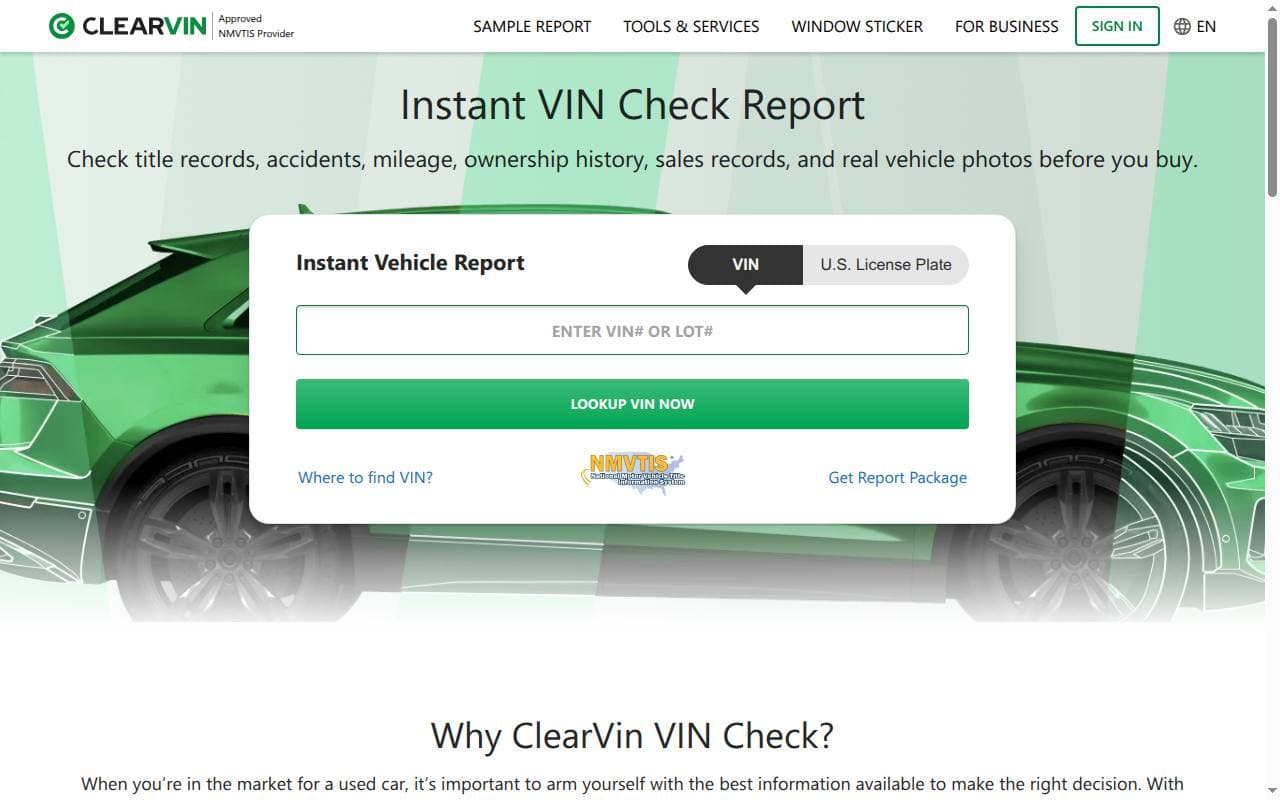
ClearVin provides history reports for North American vehicles. This review covers the available data, report limitations, ordering process, pricing, and support, including what NMVTIS data can and can’t tell you. Start by locating the vehicle’s VIN number.
ClearVIN Overview
ClearVin combines vehicle data from sources including NMVTIS, state motor-vehicle agencies and other automotive records. Its report content differs between US and Canadian vehicles. Review the sample and the results for your VIN before buying.
ClearVIN Pros
1. Comprehensive Vehicle History Reports
ClearVin reports can combine title events, recorded mileage, reported damage and other available entries. This can help you spot inconsistencies in what the seller tells you, but it isn’t guaranteed to cover every event.
2. National Motor Vehicle Title Information System (NMVTIS) Approved
ClearVin appears on the US Department of Justice list of approved NMVTIS data providers. NMVTIS supplies title and other recorded vehicle information; approval does not certify a vehicle’s condition or guarantee that every accident is included.
3. Easy-to-Use Interface
ClearVin organizes records into report sections with explanatory notes. Check a sample to see how title terms, source dates and other entries are presented before buying.
ClearVIN Cons
1. Limited Free Services
A basic VIN preview and the detailed history report are different products. Review the available information and the paid-report description before ordering.
2. Mobile access
The service can be accessed through a web browser on a phone. To find out whether there’s an official app, use the links ClearVin provides; the availability of an app does not indicate report quality.
3. Prices and promotions
Check the price shown after your initial VIN search. Compare the total cost and the number of report credits, and confirm any promotion at checkout instead of assuming there’s always a discount, or never one.
How to Decode Your VIN Number Using ClearVIN
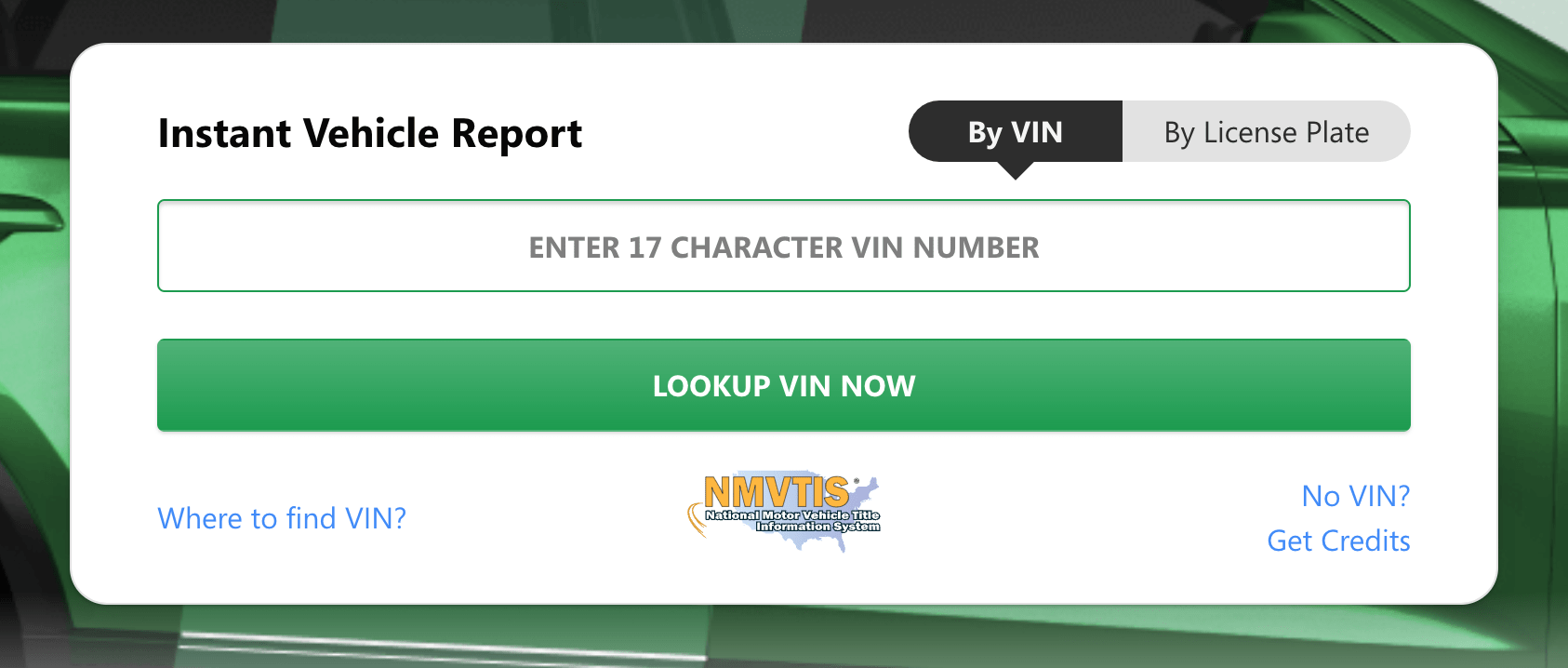
Use the VIN to identify the correct vehicle, then review the history found for that number. The steps below explain how to begin.
Step 1: Locate Your VIN
The VIN can be found in several locations on your vehicle:
- On the driver's side dashboard, visible through the windshield
- On the driver's side door jamb, where the door latches when it's closed
- On the vehicle's title, registration, and insurance documents
Step 2: Access ClearVIN's Website
Visit ClearVIN's official website at https://www.clearvin.com/.
Step 3: Enter the VIN
Enter your 17-character VIN in the search bar on ClearVIN's homepage. Double-check that you've entered the number correctly before continuing.
Step 4: Decode Your VIN
Click the "Decode" button, and ClearVIN will provide you with basic information about your vehicle, such as make, model, and year.
Step 5: Purchase a Full Vehicle History Report (Optional)
If you're interested in obtaining a comprehensive vehicle history report, click the "Get Report" button and follow the instructions for payment.
ClearVIN Report Details
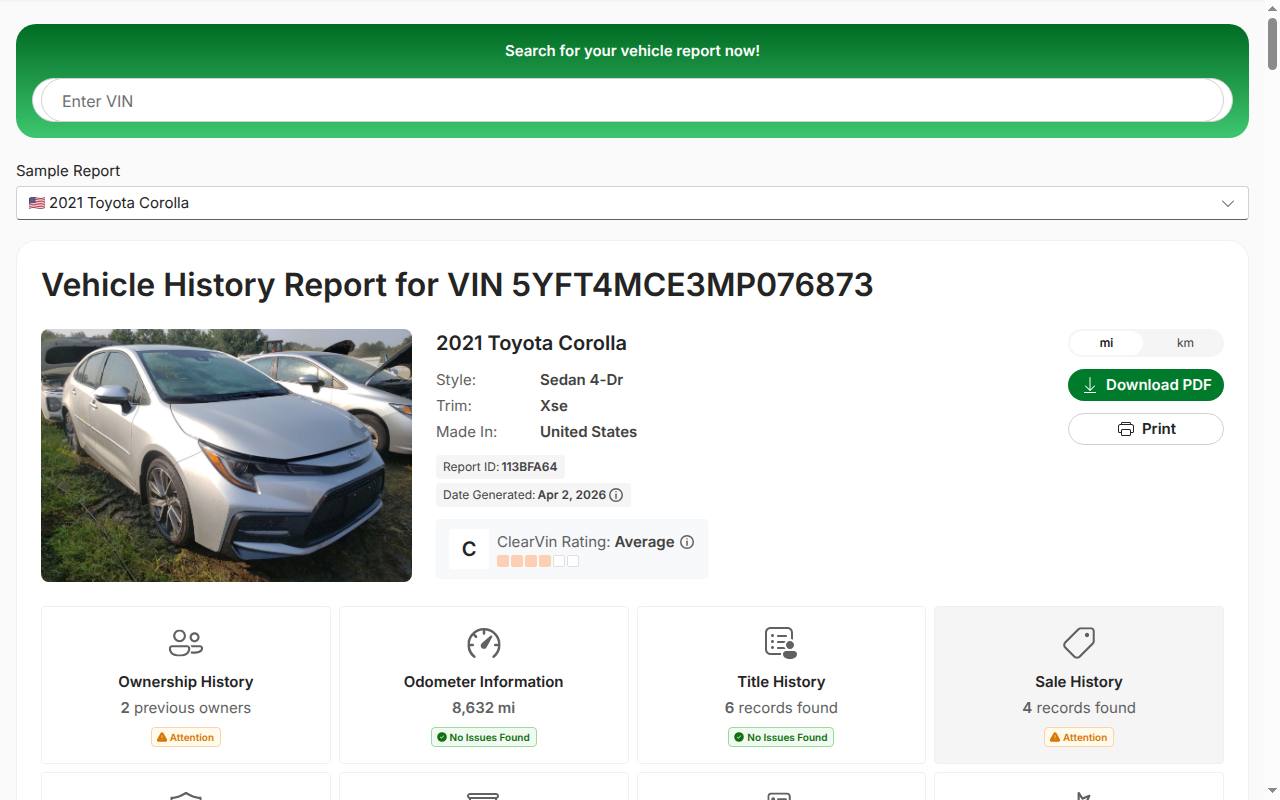
A ClearVin report may include the following information, depending on the vehicle and available sources. Compare the report with the paperwork and an in-person inspection:
- Title records: recorded title dates, jurisdictions and brands. These entries don’t include previous owners’ personal details.
- Odometer readings: recorded mileage entries that can help reveal inconsistencies. A database reading does not replace an independent odometer check.
- Damage history: events that were reported and that the provider can access. Unreported accidents and private repairs may be missing.
- Theft Records: The report flags any recorded theft events in the vehicle's history.
- Ownership history: an estimated owner count based on title records, together with available registration and use information. Owner names and contact details are not supplied.
- Sale history: available sale listings can show sale dates, prices, mileage and other listing details.
- Insurance, junk and salvage records: the sample report has a section for insurance total-loss and junk or salvage entries.
- Lien and impound records: available lien and impound entries are shown in a separate section.
- Title brands: reported title brands are listed separately from title-history records.
- Warranty information: the sample report includes manufacturer warranty details.
- Emission and safety inspection: available inspection entries appear in their own section.
- Recalls and related records: check the report for available recall or inspection information. Don’t expect a complete service history.
Pricing and Payment Options
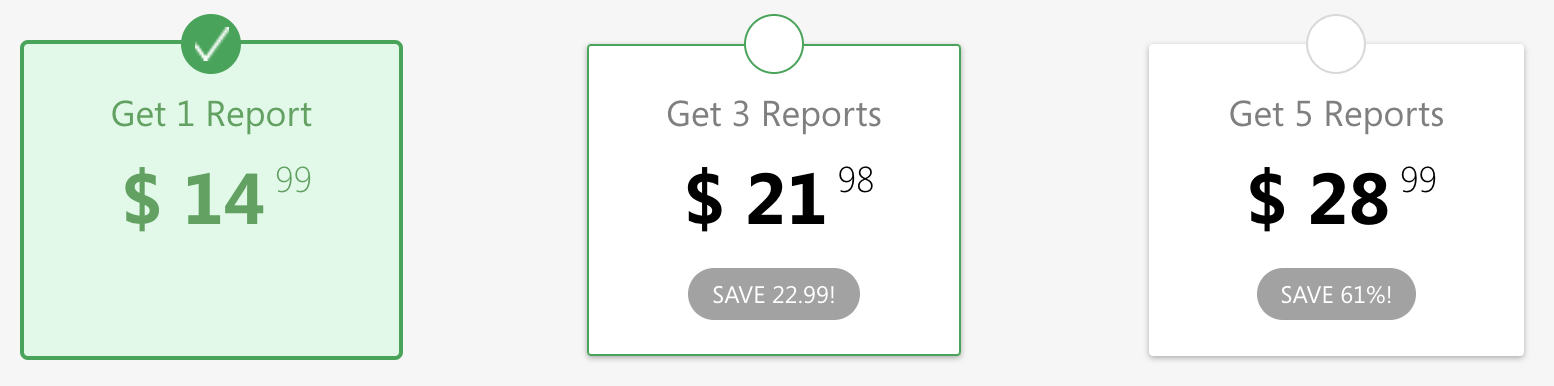
ClearVin’s help information directs buyers to the price shown with the report preview. The pricing page lists $17.99 for one report, $23.98 for two reports and $28.99 for five reports. Confirm the current total and credit terms before paying.
Use the payment methods displayed on ClearVin’s official checkout. Check the total, the number of reports and any credit conditions before you pay.
How Does ClearVIN Stack Up Against the Competition?
When comparing ClearVIN to its competitors, it's essential to consider factors such as data sources, pricing, and ease of use. Here's a brief analysis of how ClearVIN compares to other vehicle history report providers:
- Data sources: ClearVin’s NMVTIS approval confirms that it can access data through that system. Other providers may also use NMVTIS or other sources, so approval alone doesn’t make one report more complete than another.
- Pricing: compare current quotes for the same number of vehicles. Older prices for ClearVin, CARFAX or AutoCheck won’t tell you which is cheapest today.
- Presentation: compare the sample reports and their explanations. Even the clearest layout only helps if the records answer your questions about the vehicle.
ClearVin is an option for buyers who want to examine available North American title and history records. Compare what is found for your VIN, the sample report and the final price before deciding.
Customer Support
For a question about a report or an order, use the contact methods on ClearVin’s official contact page. Provide the VIN and order information, plus documentary evidence if you dispute an entry.
- Email support: use the customer-service email listed on the current contact page. Check your order confirmation for the appropriate address.
- Direct contact: check the provider’s contact page for available channels and business hours. This review does not guarantee phone support or a specific response time.
- Online Resources: ClearVIN's website features a comprehensive Help Center with answers to frequently asked questions and articles on various topics related to vehicle history reports.
The Help Center explains common report terms and ordering questions. For a specific dispute, describe the discrepancy precisely and keep a copy of your correspondence.
Conclusion
ClearVin can help check title events, mileage and other available records for a North American vehicle. Its NMVTIS approval matters for where its data comes from, but no report replaces the title documents or an independent inspection. Check the information found for the VIN and the final price before you buy.
FAQs
Is ClearVIN free?
The initial VIN preview is free. Paid-report pricing appears on the preview page and depends on the package; confirm it there before ordering.
Are there any ClearVIN discounts available?
Check the current checkout and promotion terms. Availability can change, so if an earlier review found no discount, that doesn’t tell you what’s on offer now.
How accurate is ClearVIN's information?
ClearVin uses NMVTIS and other sources. Records may still be missing, delayed or incorrect. Compare significant entries with the vehicle’s documents and ask the provider to explain discrepancies.
Can I access ClearVIN's services on my smartphone?
You can use ClearVin’s website through a mobile browser. Follow the provider’s official links if you want to check for an app.
How long does it take to receive a ClearVIN report?
You get access to the report once you’ve completed the online purchase. Keep your order confirmation, and contact support if the report or your account doesn’t show up as expected.
Can I trust ClearVIN for vehicle history reports?
The report can help you spot issues that need further checks. NMVTIS approval is not a certification that a car is safe, undamaged or free of all title problems.
What information is included in a ClearVIN vehicle history report?
A report may show title events, recorded mileage, reported damage, theft-related entries and recall information. The estimated ownership history does not include owners’ personal details. Available sections differ by vehicle and market.
Does ClearVIN offer customer support?
Use ClearVin’s official contact page for current customer-service channels. Its Help Center also explains report entries, ordering and common account questions.
How does ClearVIN compare to CARFAX and AutoCheck?
Compare the current price and available records for the same VIN. ClearVin, CARFAX and AutoCheck may draw on different combinations of sources, so neither price nor an overall rating proves which report will be most useful.
What payment options does ClearVIN accept?
The checkout shows the payment methods available for your purchase. Use those details instead of an older list of accepted cards or services.