


Cebia Overview
Cebia is a Czech vehicle-checking company founded in Prague in 1991. Its history reports bring together available records such as mileage, damage, photographs and service entries. This review explains how to make sense of what it finds for a VIN and where an online check falls short.
Cebia Pros
- History in one report: available damage, mileage, registration or usage records can help you check a vehicle’s past against what the seller tells you. How much information you get varies from car to car.
- Several data sources: records from different sources can help you spot inconsistencies. They can still be incomplete or wrong, so check important findings against the paperwork and the car itself.
- Report layout: clear headings and grouped records make the findings easier to compare. Read the sample and the explanatory notes to understand the dates, sources and limits.
- Preview before purchase: Cebia provides a free overview of the categories of information found for a VIN. Use it to decide whether the paid history report is worth it for you.
- Price comparison: weigh the final cost against the information available for your vehicle. The lower price for additional reports can bring the cost down if you’re checking more than one car.
Cebia Cons
- Coverage varies by vehicle: Cebia focuses mainly on European records, though it also lists sources outside Europe. Check the preview for the specific VIN; coverage of a country doesn’t mean you’ll get a complete history.
- Paid detailed report: the free overview shows what kinds of records were found. You have to pay to see the detailed history.
- Support availability: use the official contact page or email for questions. If you need an answer before you buy, check which channels are available and when.
- Mobile access: the service can be used in a browser. Use official Cebia links for access on a specific device; whether there’s an app has nothing to do with the quality of the vehicle records.
How to Decode Your VIN Number Using Cebia
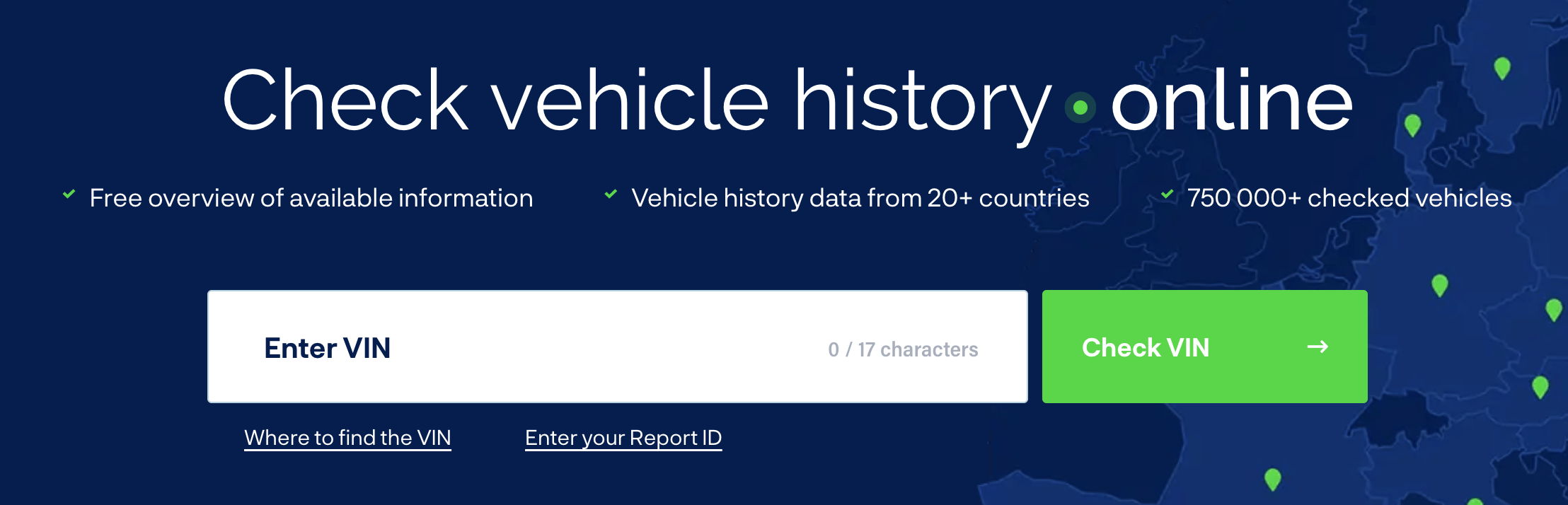
Cebia uses the VIN to search a car’s history. The number itself only identifies the car; the history comes from the records linked to it. Start by checking that the VIN on the car matches its documents, then follow the lookup and purchase steps.
-
Locate the VIN: a standard modern VIN has 17 characters. Check the vehicle’s manual for its exact location and compare the number with the documents. Common places include:
-
- On the driver's side dashboard, visible through the windshield
- Inside the driver's side door jamb
- On the vehicle's registration card or insurance documents
-
Visit Cebia's Website: Go to Cebia's official website at www.cebia.com
-
Enter the VIN Number: On Cebia's homepage, locate the VIN number input field and type in your 17-character VIN number.
-
Review the available information: look over the free summary for the VIN and decide whether the detailed history will answer your questions.
-
Review and Purchase: Review the information provided in the sample report and click on the "Buy Now" button to purchase your selected report.
-
Access Your Report: After completing the payment process, you'll receive an email containing a link to access your detailed vehicle history report. Click the link and review the information provided to make an informed decision about your vehicle purchase or sale.
Cebia Report Details
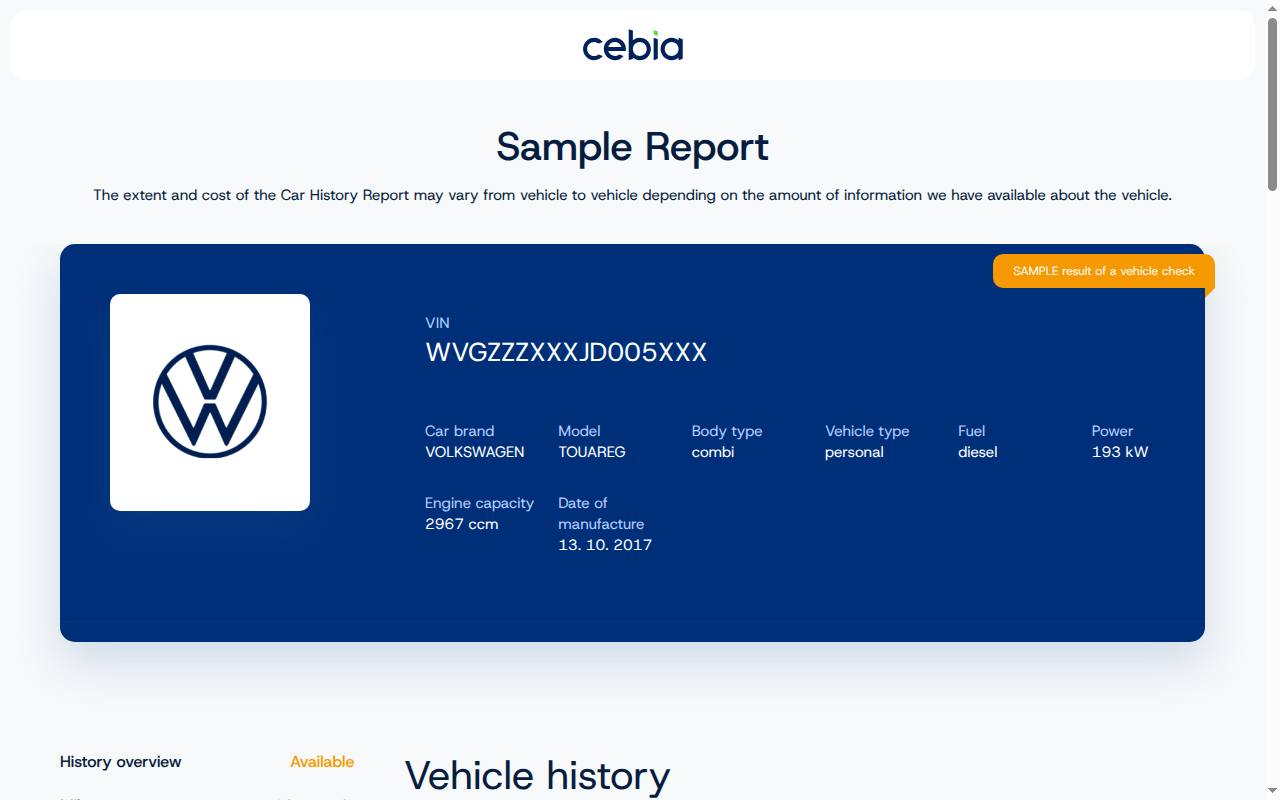
The report contains the records found for the VIN you entered. These are the sections worth looking at, though not every category will be available for every car:
- Vehicle Identification: This section provides basic information about the vehicle, such as make, model, year, body type, and engine specifications.
- Registration and use: look at any registration changes and country records. They won’t necessarily show every previous owner, and they don’t give out private owners’ contact details.
- Damage history: recorded collision or other damage entries, where available. No report can confirm that every accident or private repair was recorded.
- Mileage: compare dated readings and check their units. If there’s an unexplained difference, ask the seller and check the supporting documents.
- Service and inspection entries: compare any recorded work with invoices. The report won’t be a complete service history for every vehicle.
- Theft-related records: follow up on any alert with the appropriate authority. The absence of an alert doesn’t, on its own, prove the vehicle is what it claims to be.
- Financing status: check any financing information shown and confirm the car’s current legal status with the relevant documents. Don’t assume a report lists every lien or repossession.
- Vehicle Usage: Learn about the vehicle's past usage, such as rental, lease, taxi, or police use.
- Safety and recall checks: review any relevant entries and check open recalls with the manufacturer. A safety rating for the model tells you nothing about the current condition of a particular car.
Pricing
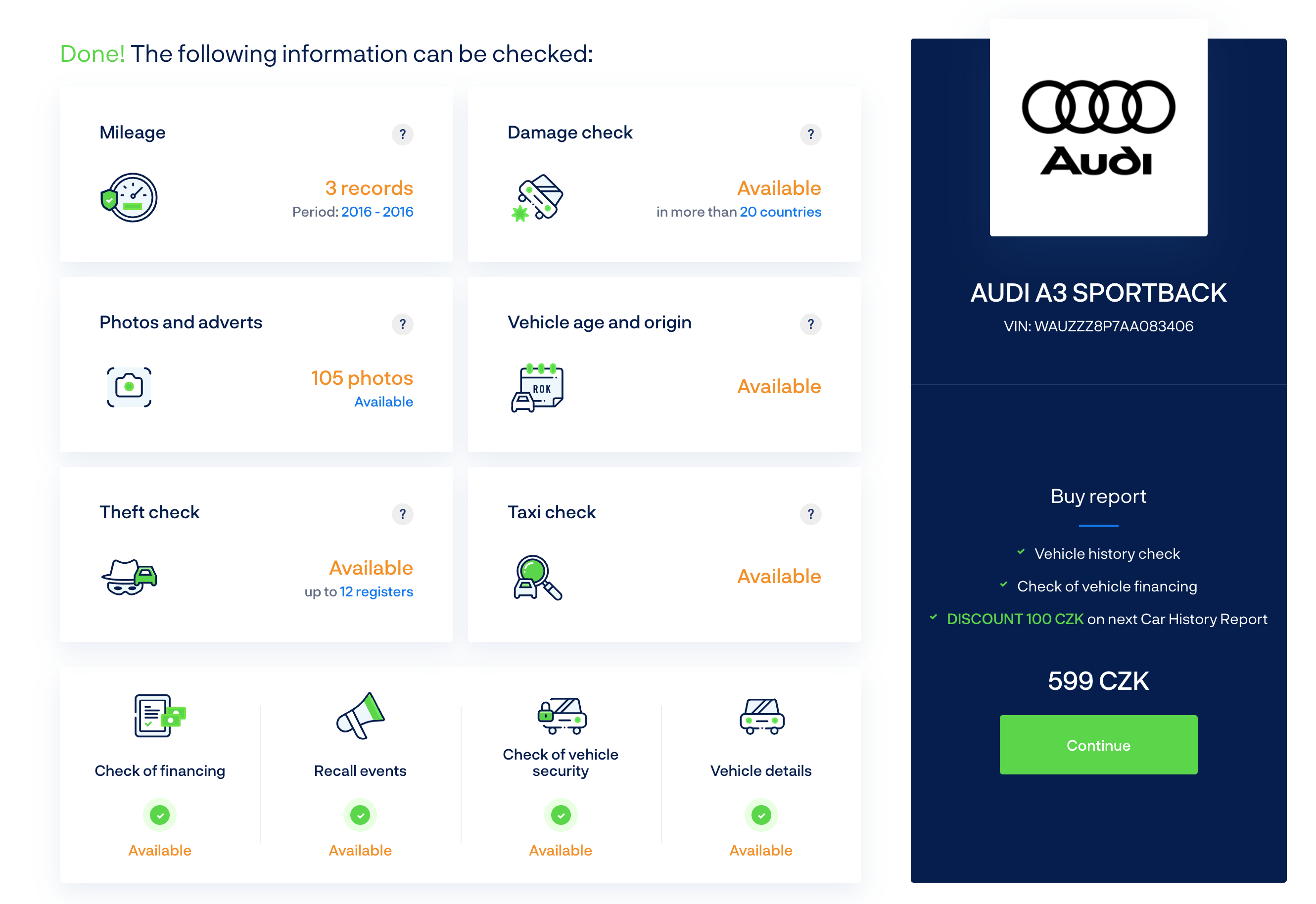
Cebia’s English-language FAQ lists the following consumer pricing. Check the price shown for your market and order before paying:
- Car History Report: the published base price is €23.90 including VAT. The FAQ lists €11.95 for each additional vehicle check; confirm eligibility and the total at checkout.
Please note that these prices are subject to change, and you should visit Cebia's website for the most up-to-date pricing information.
Payment Options
Cebia offers a variety of payment options for your convenience. Customers can purchase vehicle history reports using the following methods:
- Card payments: the checkout shows which cards are accepted for your market and order.
- Digital wallets: Cebia’s English FAQ lists Google Pay and Apple Pay alongside card payments. Use the methods displayed in the checkout for your order.
How does it stack up against the competition?
When comparing Cebia to other vehicle history report providers, there are several factors to consider. Here's a brief comparison of Cebia and its competitors:
- Coverage: compare records from the countries where the vehicle has been used. Cebia and its competitors may have different information for the same VIN.
- Price: weigh the total against what the availability summary shows. A free preview and a detailed paid report are different products.
- Report detail: compare the categories found for the specific VIN. The free availability summary tells you more than a general description of what a report might contain.
- Support: compare the contact options and help material available from each provider. This review makes no claim that a competitor will respond faster or offer more channels.
Cebia is worth considering if its preview shows records that cover the vehicle’s past. Compare those findings and the purchase terms with the other options you are considering.
Customer Support
Cebia offers contact options for report questions and complaints. Use the details on its official contact page and include the report ID when asking about an order.
- Email support: Cebia lists info.en@cebia.com. Double-check the address on Cebia’s contact page before you write, and include the VIN and report ID.
Check the official contact page for current channels and response times before sending a question about a report or order.
Conclusion
Cebia can be useful when its records cover the vehicle’s past. Look at the free availability summary first, and compare the paid report with service documents, registration papers and an inspection. No provider can guarantee a complete history for every VIN.
For an imported car, pay particular attention to the countries and dates represented in the report. Treat any gaps as questions for the seller, not as evidence that nothing happened.
FAQs
What is Cebia?
Cebia is a company that provides detailed vehicle history reports for car buyers and sellers, focusing primarily on European countries.
How much does a Cebia report cost?
The English-language FAQ lists €23.90 including VAT for the initial check and €11.95 for each additional vehicle. Confirm the price and conditions shown for your order.
Can I get a free Cebia report?
Cebia offers a free overview of the information found for a VIN. The detailed history report is paid; check the overview before deciding whether to purchase.
How do I decode my VIN number using Cebia?
Follow the tutorial provided in this article to decode your VIN number and obtain a vehicle history report from Cebia.
How accurate are Cebia reports?
Accuracy and completeness depend on the records available for the vehicle. Compare important entries with the paperwork, and an empty damage section does not prove that the car has never been damaged.
What information is included in a Cebia report?
A report contains the records found for the VIN, often including mileage, damage, inspections, photographs or earlier advertisements. Check the free availability summary for the particular vehicle; the report may not include every category described in this review.
What payment methods does Cebia accept?
The English-language FAQ lists card payments, Google Pay and Apple Pay. The checkout shows the methods available for your purchase.
How does Cebia compare to other vehicle history report providers?
Compare the available data, price and report-access terms for your VIN. A provider that works well for one car may have fewer useful records for another.
Is Cebia suitable for non-European vehicles?
While Cebia primarily focuses on European countries, check its coverage and data sources to see whether its reports will be useful for vehicles from outside Europe.
What customer support options does Cebia offer?
Cebia currently offers email support for customers who need assistance or have inquiries about their vehicle history reports.